View Source Mode
View Source mode and standards compliance
Correcting non-standards-compliant markup
View Source mode and standards compliance
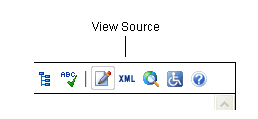
- View Source mode permits skilled technical users to enter markup directly into the editor.
- View Source is accessed by selecting
 on the toolbar, or by selecting Toolbar, Buttons, View Source, in the context menu.
 - Since the editor accepts only standards-compliant XHTML, when markup entered through View Source is not standards-compliant, it must be corrected or discarded.
Correcting non-standards-compliant markup
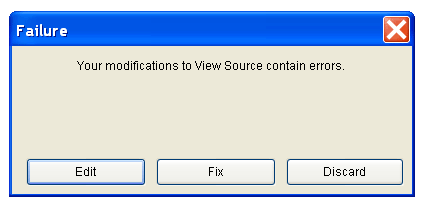
- If non-compliant markup is entered into View Source, the Failure dialog box seen above displays and offers three options: Edit, Fix or Discard.
- Edit allows the technical user to manually correct markup errors.
- Fix asks the editor to attempt to correct the markup errors.
- Discard deletes all markup entered (not only the non-compliant sections).
- If the user elects to Edit the markup but fails to correct it, the Failure dialog box again displays, offering the same three options.
- If the user asks the editor to Fix the markup, but the editor is unable to do so, the Failure dialog box displays, but, this time, only two options are possible: Edit or Discard.
- At this point, if the user is unable to Edit the markup manually, the non-compliant markup must be discarded.